






Course Overview
Learning Outcomes
Why Enrol in This Course?
Who is This Course for?
Prerequisites for This Course
Certification
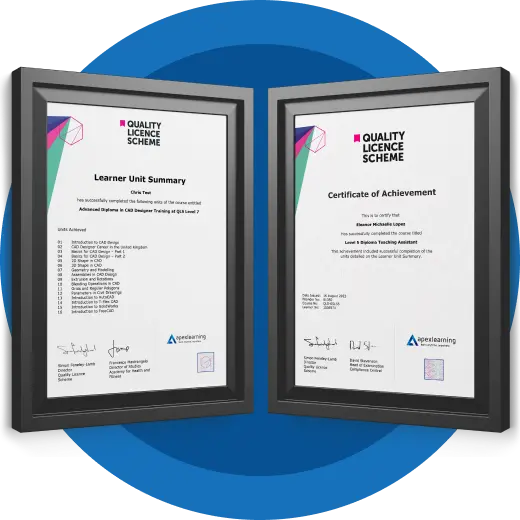
Endorsed Certificate from the Quality Licence Scheme
Career Path
Course Curriculum
- 39 sections
- 78 lectures
- 00:00:00 total length
-
 The structure of the course – first things first! 00:05:00
 -
Set up free trial 00:03:00
-
Starting A New Company File 00:11:00
-
Enter opening balances 00:02:00
-
Reverse opening balances – accruals and prepayments 00:06:00
-
Report Journal 00:05:00
-
Amend The Nominal Ledger 00:07:00
-
Report listing the nominal ledgers 00:02:00
-
Enter customers 00:09:00
-
Report on customer contact information 00:01:00
-
Enter Suppliers 00:05:00
-
Supplier Contact List 00:02:00
-
Enter Invoices 00:09:00
-
Invoice Entering 00:03:00
-
Invoice batch 00:06:00
-
Post Sales Credit Notes 00:08:00
-
Report showing Customer Activity 00:03:00
-
Aged Debtors 00:02:00
-
Post Supplier Invoices 00:03:00
-
Entering a Batch of Supplier Bills 00:09:00
-
Credit Notes Suppliers 00:05:00
-
Reclassify Supplier Bills – Flash Bulbs Purchased 00:04:00
-
Supplier Account Activity Report 00:04:00
-
Post Cheques 00:07:00
-
Reports showing supplier payments 00:01:00
-
Receipts from customers 00:07:00
-
Report showing customer receipts 00:02:00
-
Post Petty Cash Transactions and Report 00:04:00
-
Post cash payments to ledgers 00:02:00
-
Enter petty cash items 00:14:00
-
Report on Petty Cash Payments Proper 00:05:00
-
Post Sundry Payments 00:05:00
-
Report Bank Payments 00:03:00
-
VAT Return 00:03:00
-
Reconcile The Bank 00:10:00
-
Provide A Report Showing Any Unreconnciled Transaction 00:02:00
-
Post the Wages Journal 00:08:00
-
Posting Journal Adjustments 00:02:00
-
Month end adjustments 00:03:00
-
Month end reports 00:06:00
-
Task- Crearing the accounts 00:06:00
-
Task – Customer report 00:01:00
-
Course Paper 00:00:00
-
Further Reading – QuickBooks Online 2014 The Handbook 00:00:00
-
Introduction To The Course And Your Tutor 00:04:00
-
Activating Your Free Trial With Xero 00:02:00
-
Signing Up For The Free Trial 00:04:00
-
Create The Organisation 00:08:00
-
The Ficticious Scenario 00:02:00
-
Add Bank Accounts To The System 00:14:00
-
Enter Opening Balances 00:07:00
-
Opening Trial Balance 00:01:00
-
Amend The Nominal Ledger 00:06:00
-
Chart Of Accounts Report 00:01:00
-
Enter customers 00:07:00
-
Reporting Customer And Supplier Information 00:02:00
-
Enter Invoices 00:07:00
-
Invoicing tips – adding logo, repeat billing 00:09:00
-
Entering Invoices 6574 to 6610 00:16:00
-
Post Credit Notes 00:03:00
-
Report Showing Customer Activity 00:08:00
-
Aged Debtors 00:02:00
-
Post supplier invoices 00:09:00
-
Enter suppliers invoices 6028 onwards 00:14:00
-
Enter More Supplier Invoices No 4308 Onwards 00:06:00
-
Credit Notes Suppliers 00:02:00
-
Supplier Activity Report 00:04:00
-
Aged Creditors Info 00:01:00
-
Reciepts from Customers 00:10:00
-
Apply Customer Credit Notes 00:05:00
-
Post Supplier Cheques 00:08:00
-
Apply Supplier Credit Notes 00:03:00
-
Print List Of Bank Receipts And Payments 00:01:00
-
Post Sundry Payments 00:07:00
-
Make a credit card payment 00:08:00
-
Add Petty Cash Transactions – Week 1 00:16:00
-
Add Petty Cash Transactions – Week 2 00:12:00
-
Add Petty Cash Transactions – Week 3 00:07:00
-
Add Petty Cash Transactions – Week 4 00:09:00
-
Imprest System on Petty Cash 00:04:00
-
Print a Copy of Petty Cash Receipts and Payments 00:01:00
-
Writing Off A Bad Debt – Print Customer Statement 00:02:00
-
Write Off A Bad Debt 00:09:00
-
Reconcile The Credit Card Statement 00:09:00
-
Bank Statement As A CSV File 00:27:00
-
Bank Statement Closing Balances 00:11:00
-
Reconcile The Petty Cash 00:05:00
-
Wages And Salaries 00:09:00
-
Post the Wages Journal 00:07:00
-
Report Wages Journal 00:02:00
-
Payday 00:11:00
-
Pay The Two Staff 00:05:00
-
Depreciation 00:04:00
-
VAT Return 00:03:00
-
Month End Reports PnL, BS, TB 00:05:00
-
Using Payroll 00:12:00
-
Setting Up Employees 00:10:00
-
Running Payroll – An Example 00:14:00
-
Recap And Next Steps 00:06:00
-
What happens next 00:02:00
-
Get your qls level 7 Certificate 00:00:00
-
Thank you for completing your course with us! We’d appreciate your feedback! 00:00:00

£21.99
Regular Price
£419
Save 95% - Sale Ends in

🔥 49 units sold in last 9 hours
14 Days Money Back Guarantee
This course includes:
-
Duration:9 hours, 48 minutes
-
Access:1 year access
-
Level:Intermediate
-
CPD Points:10