1. These Terms and Conditions
1.1. These Terms and Conditions (“Terms”) govern your access to and use of the website, applications, and any related platforms operated by Apex Learning (“Apex Learning”, “we”, “us”, or “our”), including all content, courses, memberships, and related services made available through such platforms (the “Services”).
1.2. By accessing, browsing, registering with, or otherwise using our Services, you acknowledge that you have read, understood, and agree to be legally bound by these Terms in full.
1.3. If you do not agree to these Terms, you must immediately cease using our Services.
1.4. These Terms apply to all users of the Services, including, without limitation, visitors, registered users, purchasers of Courses, subscribers to Memberships, instructors, affiliates, and any other participants who access or interact with the Platform.
1.5. Your use of the Services is also subject to our Privacy Policy and any additional terms, conditions, or policies referenced herein or made available to you through the Platform, all of which are incorporated into these Terms by reference.
1.6. We reserve the right to amend, modify, replace, or update these Terms at any time at our sole discretion. Any such changes shall take effect immediately upon publication on the Platform, and your continued use of the Services following such publication shall constitute your acceptance of the revised Terms.
2. Terms of Use
2.1. The agreement set out in these Terms constitutes a legally binding agreement between you (“User”, “You”, or “Your”) and Apex Learning (“Apex Learning”, “we”, “us”, or “our”) in relation to your access to and use of the Services.
2.2. These Terms apply whenever you access or use the Services via any website, mobile application, or other digital platform operated by Apex Learning (the “Platform”), regardless of the device or method of access.
2.3. By accessing or using the Services, you confirm that you have the legal capacity to enter into a binding agreement and that you agree to comply with these Terms in full.
2.4. Apex Learning operates as an online platform that facilitates access to educational content, including Courses, programmes, and related materials.
2.5. Such content may be provided either directly by Apex Learning or by third-party instructors, organisations, or content providers (“Instructors”).
2.6. Where Courses or content are provided by Instructors, Apex Learning acts solely as a platform provider and intermediary and does not control, endorse, or assume responsibility for the accuracy, quality, completeness, or delivery of such content.
2.7. Any reliance placed on Courses or content provided by Instructors is undertaken at your own risk.
2.8. Nothing in these Terms shall be construed as creating any partnership, agency, joint venture, or employment relationship between Apex Learning and any Instructor or User.
2.9. We reserve the right to modify, suspend, withdraw, or restrict access to any part of the Platform or Services at any time, without prior notice and without liability, where reasonably necessary for operational, legal, or business purposes.
2.10. Additional terms and conditions may apply to specific Courses, programmes, or Services. Where applicable, such terms shall be presented to you at the point of purchase or access and shall form part of this Agreement.
2.11. In the event of any conflict between these Terms and any additional terms applicable to a specific Service, the additional terms shall prevail to the extent of the inconsistency.
3. Definitions
3.1. For the purposes of these Terms, the following expressions shall have the meanings set out below:
3.2. “Account” means the registered account created by a User to access and use the Services.
3.3. “Courses” means any online educational content, training materials, or programmes made available via the Platform.
3.4. “Instructors” means any tutors, mentors, organisations, or third-party providers responsible for the creation, delivery, or facilitation of Courses.
3.5. “Membership” means any subscription-based access to Courses or Services offered by Apex Learning.
3.6. “Platform” means the website, applications, and any related digital systems operated by Apex Learning through which the Services are provided.
3.7. “Services” means all Courses, Memberships, content, features, and related services made available by Apex Learning via the Platform.
3.8. “User”, “You”, or “Your” means any individual accessing, browsing, registering with, or otherwise using the Services.
4. User Registration and Account
4.1. In order to access certain features of the Services, you may be required to register and create an Account.
4.2. You agree to provide accurate, current, and complete information during the registration process and to keep such information updated at all times.
4.3. You are solely responsible for maintaining the confidentiality and security of your Account credentials, including your login details and password.
4.4. Any activity carried out under your Account shall be deemed to have been carried out by you. We shall not be liable for any loss or damage arising from your failure to safeguard your Account.
4.5. You must not share, transfer, or otherwise permit any third party to access or use your Account.
4.6. The Account is personal to you and is non-transferable.
4.7. We reserve the right to suspend, restrict, or terminate your Account at any time where we reasonably believe that:
- 4.7.1. you are in breach of these Terms;
- 4.7.2. your Account has been accessed or used by unauthorised persons;
- 4.7.3. you have engaged in misuse, abuse, or fraudulent activity in connection with the Services; or
- 4.7.4. it is necessary to do so for legal, regulatory, or security reasons.
4.8. Where your Account is suspended or terminated due to breach of these Terms, you shall not be entitled to any refund for any Services purchased.
4.9. We may require you to verify your identity at any time in order to maintain the integrity and security of the Platform.
4.10. We reserve the right to refuse registration or creation of an Account at our sole discretion.
4.11. Users must not attempt to circumvent any technical or security measures implemented by Apex Learning to control access to the Services.
5. Acquisition and Payment
5.1. You may purchase Courses, Memberships, or other Services directly through the Platform.
5.2. At the time of placing an order, you must authorise payment using one of the payment methods made available on the Platform.
5.3. Your purchase shall not be deemed complete until payment has been successfully processed and a confirmation has been issued by us.
5.4. Upon receipt of payment, we shall provide access to the relevant Services in accordance with the terms of the purchase.
5.5. A legally binding agreement shall be formed between you and Apex Learning at the point we confirm your purchase.
5.6. We reserve the right to decline, refuse, or cancel any order prior to confirmation, without providing a reason.
5.7. All prices for Services are clearly displayed on the Platform at the time of purchase.
5.8. In the event that a Service is listed at an incorrect price due to typographical error, system error, or any other reason, we reserve the right to cancel the order and issue a full refund, even where payment has already been made.
5.9. All prices are inclusive of VAT unless otherwise stated.
5.10. Where payment is not received when due, or a payment method fails, we reserve the right to suspend access to the Services until full payment has been received.
5.11. We reserve the right to recover any outstanding amounts using any lawful means, including but not limited to charging alternative payment methods on file, engaging collection agencies, or taking legal action where appropriate.
5.12. You agree that we may store and use your payment details in accordance with applicable laws and our Privacy Policy for the purposes of processing payments and managing your account.
6. Cancellations and Refunds
6.1. You may request cancellation of your purchase within 14 days from the date of purchase, in accordance with applicable consumer protection laws.
6.2. The right to cancel under clause 6.1 shall only apply where you have not accessed, commenced, or otherwise engaged with the relevant Course or Service.
6.3. By accessing, commencing, or engaging with any Course or Service within the cancellation period, you expressly acknowledge and agree that you waive your statutory right to cancel and will not be eligible for a refund.
6.4. Refunds, where applicable, may take up to 14 days to process from the date of approval.
6.5. We reserve the right to refuse a refund where a significant portion of the Course or Service has been accessed or completed, including but not limited to cases where 50% or more of the content has been consumed.
6.6. Purchases made at a discounted, promotional, or special offer price may be subject to additional restrictions, including limitations or exclusions on refunds, unless otherwise expressly stated.
6.7. Promotional offers, discounts, and coupons apply only to selected Services and may exclude certain Courses, Memberships, or programmes at our sole discretion.
6.8. Promotional offers may be subject to time limitations and may expire without prior notice unless otherwise specified.
6.9. No refunds shall be issued in respect of any subscription or Membership that has renewed automatically, except where required by law.
6.10. Where a Course has been exchanged, no further exchanges or refunds shall be permitted in respect of that Course.
6.11. We reserve the right to refuse any refund request where we reasonably believe that the Services have been misused, exploited, accessed in bad faith, or in a manner inconsistent with fair and reasonable use of the Services.
6.12. Except where required by law, no refunds shall be issued in respect of the following, for any reason whatsoever:
- 6.12.1. Services that have been accessed or commenced;
- 6.12.2. Services that have been partially or fully completed;
- 6.12.3. Services purchased at a discounted or promotional rate;
- 6.12.4. renewed subscriptions or Memberships; or
- 6.12.5. any other circumstances where refund restrictions have been clearly communicated at the point of purchase.
6.13. Any refunds approved shall be issued to the original method of payment used for the purchase.
7. Course Content and Access
7.1. Courses and related content shall be provided in accordance with the description set out on the Platform at the time of purchase.
7.2. We reserve the right to update, modify, replace, or remove any Course content or materials at any time, without prior notice, where reasonably necessary for operational, legal, or business purposes.
7.3. We do not guarantee that any Course or Service will meet your individual requirements, expectations, or desired outcomes.
7.4. Access to the Services may, from time to time, be restricted, interrupted, or suspended to allow for maintenance, updates, or improvements to the Platform.
7.5. We shall use reasonable endeavours to resolve any technical issues that may prevent access to the Services; however, we do not guarantee uninterrupted or error-free access at all times.
7.6. We shall not be responsible for any technical issues arising from your device, internet connection, software, or system configuration that may affect your ability to access or use the Services.
7.7. You are responsible for ensuring that you have the necessary equipment, software, and internet connectivity required to access the Services.
7.8. We shall not be liable for any loss, deletion, or corruption of downloaded Course materials, and you are advised to retain copies where appropriate.
7.9. Where a Course or Service is not delivered in accordance with its description, our sole obligation shall be to correct or re-perform the relevant part of the Course or Service where reasonably possible.
7.10. Except where required by law, no refund shall be issued solely on the basis that a Course or Service does not meet your personal expectations.
8. Membership Terms
8.1. Memberships provide access to selected Courses and Services for a defined period, subject to the specific terms of the Membership purchased.
8.2. Access to Courses under a Membership may be subject to limitations, including but not limited to restrictions on the number of active Courses that may be accessed at any one time.
8.3. Unless otherwise stated, a maximum of 30 Courses may be accessed concurrently under a Membership.
8.4. You may be required to complete or deactivate an active Course before commencing access to an additional Course.
8.5. Memberships may renew automatically at the end of the applicable subscription period unless cancelled prior to the renewal date.
8.6. You are solely responsible for managing your subscription and cancelling any Membership prior to renewal if you do not wish to continue.
8.7. No refunds shall be issued in respect of any Membership that has renewed automatically, except where required by law.
8.8. We reserve the right to modify the features, benefits, or availability of any Membership at any time, provided that such changes do not materially reduce the core value of the Services purchased.
8.9. Access to certain Courses, programmes, or features may be excluded from Memberships, including but not limited to regulated qualifications, bundled programmes, or premium content.
8.10. Membership access is personal, non-transferable, and may not be shared with any third party.
8.11. We reserve the right to suspend, restrict, or terminate Membership access where we reasonably believe that:
- 8.11.1. the Membership has been shared or used by multiple users;
- 8.11.2. the Services have been accessed in an excessive, abusive, or automated manner; or
- 8.11.3. there has been any breach of these Terms.
8.12. Lifetime or promotional Memberships shall be subject to additional conditions, including but not limited to restrictions on refunds, transferability, and continued access.
8.13. Lifetime Memberships are non-refundable once access has been granted, except where required by law.
8.14. Lifetime access is granted on a non-transferable basis and may be revoked where these Terms are breached.
8.15. We reserve the right to revoke or restrict Membership access at any time where it is reasonably necessary for legal, regulatory, or business purposes.
9. Job Ready Programme
9.1. Eligibility
To participate in the Job Guarantee Programme, learners must:
- Hold a valid UK work permit. Apex Learning does not provide visa sponsorship or support with visa applications.
- Complete 100% of the course content within 12 months of the enrollment date.
- Achieve a minimum score of 95% across all assessments.
- Actively participate in all career services, including mentoring sessions and mock interviews.
- Enrol only in courses marked as “Job Guarantee” on the Apex platform.
9.2. Refund Policy
Learners who purchase directly from Apex Learning are eligible for a full refund within 14 days of purchase, provided they have accessed less than 25% of the course content and submit a valid reason in writing to the Apex customer service team.
Refunds for marketplace purchases are subject to the marketplace’s specific refund policy.
9.3. Money-Back Guarantee
Learners who complete all programme requirements and purchase directly from Apex Learning are eligible for a 50% Money-Back Guarantee if no job interviews are secured within six months of course completion (50% for marketplace purchases).
Claims must be submitted within 30 days after the six-month period ends.
Learners deemed ineligible for their chosen programme may transfer to another Job Guarantee programme of the same tier without additional fees.
9.4. Job Interview Support
The Job Interview Support provides learners with interview opportunities (not job offers) within six months of successful course completion, primarily within the UK market.
The number of interviews may vary based on learner performance and market conditions.
Apex Learning reserves the right to modify or terminate this programme at any time, with changes applying only to future enrollments.
10. Breach of Agreement
10.1. We reserve the right to suspend, restrict, or terminate your access to the Services, including your Account, at any time where we reasonably believe that you are in breach of these Terms.
10.2. Without limitation to clause 10.1, a breach may include, but is not limited to:
- 10.2.1. failure to comply with any provision of these Terms;
- 10.2.2. misuse, abuse, or exploitation of the Services;
- 10.2.3. unauthorised access or sharing of your Account;
- 10.2.4. fraudulent or unlawful activity; or
- 10.2.5. any conduct which may harm the Platform, other Users, or the reputation of Apex Learning.
10.3. Where your access to the Services is suspended or terminated due to breach, you shall not be entitled to any refund in respect of any Courses, Memberships, or other Services purchased.
10.4. We reserve the right to take any further action we deem appropriate in response to a breach, including but not limited to:
- 10.4.1. permanently blocking access to the Platform;
- 10.4.2. preventing the creation of new Accounts;
- 10.4.3. reporting unlawful activity to relevant authorities; or
- 10.4.4. pursuing legal remedies available to us.
10.5. Any suspension or termination of access under this clause shall be without prejudice to any other rights or remedies available to us under these Terms or at law.
11. Acceptable Use and User Conduct
11.1. You agree to use the Services in a lawful, responsible, and appropriate manner at all times.
11.2. You must not use the Services in any way that may damage, disable, overburden, or impair the operation of the Platform or interfere with any other User’s access to the Services.
11.3. You must not engage in any activity that is unlawful, fraudulent, misleading, or harmful while using the Services.
11.4. Without limitation, you agree that you shall not:
- 11.4.1. share, sell, transfer, or otherwise distribute your Account access to any third party;
- 11.4.2. copy, reproduce, distribute, modify, or create derivative works from any Course or content without prior written consent;
- 11.4.3. attempt to gain unauthorised access to any part of the Platform, Accounts, or systems;
- 11.4.4. use automated systems, bots, scripts, or similar tools to access or interact with the Services;
- 11.4.5. upload, post, or transmit any content that is unlawful, harmful, threatening, abusive, defamatory, obscene, or otherwise objectionable;
- 11.4.6. infringe any intellectual property rights or other rights of any third party;
- 11.4.7. engage in any activity that may compromise the security or integrity of the Platform; or
- 11.4.8. use the Services for any commercial purpose not expressly authorised by Apex Learning.
11.5. You are solely responsible for any content that you upload, post, or otherwise make available through the Services.
11.6. We reserve the right to remove any content and to suspend or terminate access to the Services where we reasonably believe that a User has breached this clause.
11.7. You agree to indemnify and hold Apex Learning harmless from and against any claims, losses, liabilities, damages, costs, or expenses arising from your breach of this clause or misuse of the Services.
12. Intellectual Property
12.1. All content made available through the Services, including but not limited to Courses, videos, text, graphics, logos, materials, and software, is the property of Apex Learning or its licensors and is protected by applicable intellectual property laws.
12.2. You are granted a limited, non-exclusive, non-transferable, and revocable licence to access and use the content solely for your personal, non-commercial use in connection with the Services.
12.3. Except as expressly permitted under these Terms, you must not:
- 12.3.1. copy, reproduce, distribute, or publicly display any content;
- 12.3.2. modify, adapt, translate, or create derivative works from any content;
- 12.3.3. sell, license, sublicense, rent, or otherwise commercially exploit any content; or
- 12.3.4. remove or alter any copyright, trademark, or other proprietary notices.
12.4. Any unauthorised use of the content may constitute a breach of these Terms and may infringe intellectual property laws, and we reserve the right to take appropriate legal action in such circumstances.
12.5. All trademarks, service marks, and logos displayed on the Platform are the property of Apex Learning or their respective owners. You must not use such marks without prior written consent.
13. Liability and Disclaimer
13.1. To the fullest extent permitted by applicable law, the Services are provided on an “as is” and “as available” basis, without any warranties, representations, or guarantees of any kind, whether express or implied.
13.2. We make no warranties or representations that the Services will:
- 13.2.1. meet your individual requirements or expectations;
- 13.2.2. be uninterrupted, timely, secure, or error-free; or
- 13.2.3. produce any specific results or outcomes.
13.3. Apex Learning shall not be liable for any indirect, incidental, special, or consequential loss or damage, including but not limited to loss of profit, loss of business, loss of opportunity, or loss of data, arising out of or in connection with your use of the Services.
13.4. We shall not be liable for any acts, omissions, errors, or failures of Instructors or third-party providers in relation to any Courses or Services.
13.5. Our total aggregate liability to you in respect of any claim arising out of or in connection with the Services shall not exceed the total amount paid by you for the relevant Course or Membership giving rise to the claim.
13.6. Nothing in these Terms shall exclude or limit liability for:
- 13.6.1. death or personal injury caused by negligence;
- 13.6.2. fraud or fraudulent misrepresentation; or
- 13.6.3. any other liability which cannot be excluded or limited under applicable law.
13.7. You acknowledge and agree that any reliance on the Services or content is at your own risk.
14. Data Protection
14.1. We process personal data in accordance with applicable data protection laws, including the UK General Data Protection Regulation (UK GDPR) and the Data Protection Act 2018.
14.2. By using the Services, you acknowledge that your personal data may be collected, used, and processed by Apex Learning in accordance with our Privacy Policy.
14.3. Our Privacy Policy forms part of these Terms and is incorporated by reference.
14.4. We implement appropriate technical and organisational measures to protect personal data; however, you acknowledge that no system is completely secure and we cannot guarantee absolute security of your data.
14.5. You are responsible for ensuring that any personal data you provide to us is accurate and up to date.
14.6. Where you provide personal data relating to any third party, you confirm that you have obtained all necessary consents to do so.
15. General Terms
15.1. These Terms shall be governed by and construed in accordance with the laws of England and Wales.
15.2. You agree that the courts of England and Wales shall have exclusive jurisdiction to resolve any disputes arising out of or in connection with these Terms or the Services.
15.3. We shall not be liable for any failure or delay in performing our obligations under these Terms where such failure or delay results from events beyond our reasonable control, including but not limited to acts of God, natural disasters, war, terrorism, labour disputes, internet outages, system failures, or third-party service disruptions.
15.4. If any provision of these Terms is found to be unlawful, invalid, or unenforceable, that provision shall be deemed severable and shall not affect the validity and enforceability of the remaining provisions.
15.5. Any failure or delay by us in enforcing any provision of these Terms shall not constitute a waiver of that provision or any other provision.
15.6. We may assign, transfer, or otherwise deal with our rights and obligations under these Terms without prior notice to you.
15.7. You may not assign, transfer, or otherwise deal with your rights or obligations under these Terms without our prior written consent.
15.8. These Terms, together with any documents incorporated by reference, constitute the entire agreement between you and Apex Learning and supersede all prior agreements, understandings, or arrangements.
15.9. Nothing in these Terms shall be construed as creating any third-party rights or benefits enforceable by any person who is not a party to this Agreement.
16. Contact Information
16.1. If you have any questions, concerns, or enquiries regarding these Terms or the Services, you may contact us using the details below:
16.2. Email: [email protected]
16.3. Telephone: 02045329785
16.4. We aim to respond to all enquiries within a reasonable timeframe; however, response times may vary depending on the nature of the request.







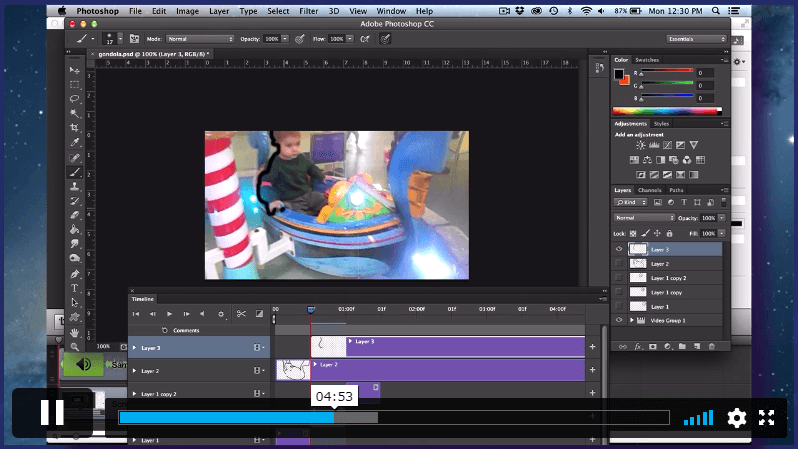

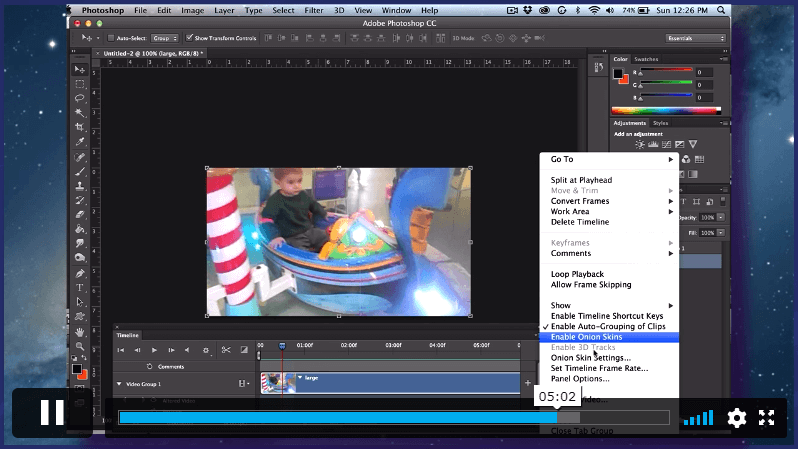
 Introduction to Animate in Photoshop! 00:02:00